Showing On My Computer folder
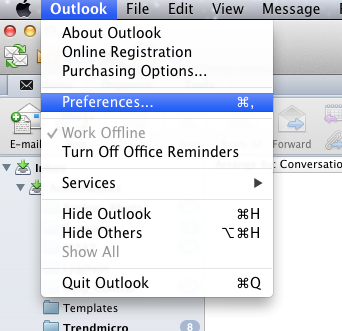
1) Open Outlook’s settings
2) Select General settings
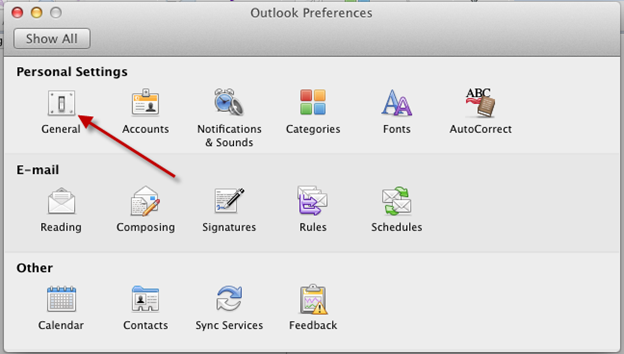
3) Open Outlook’s settings
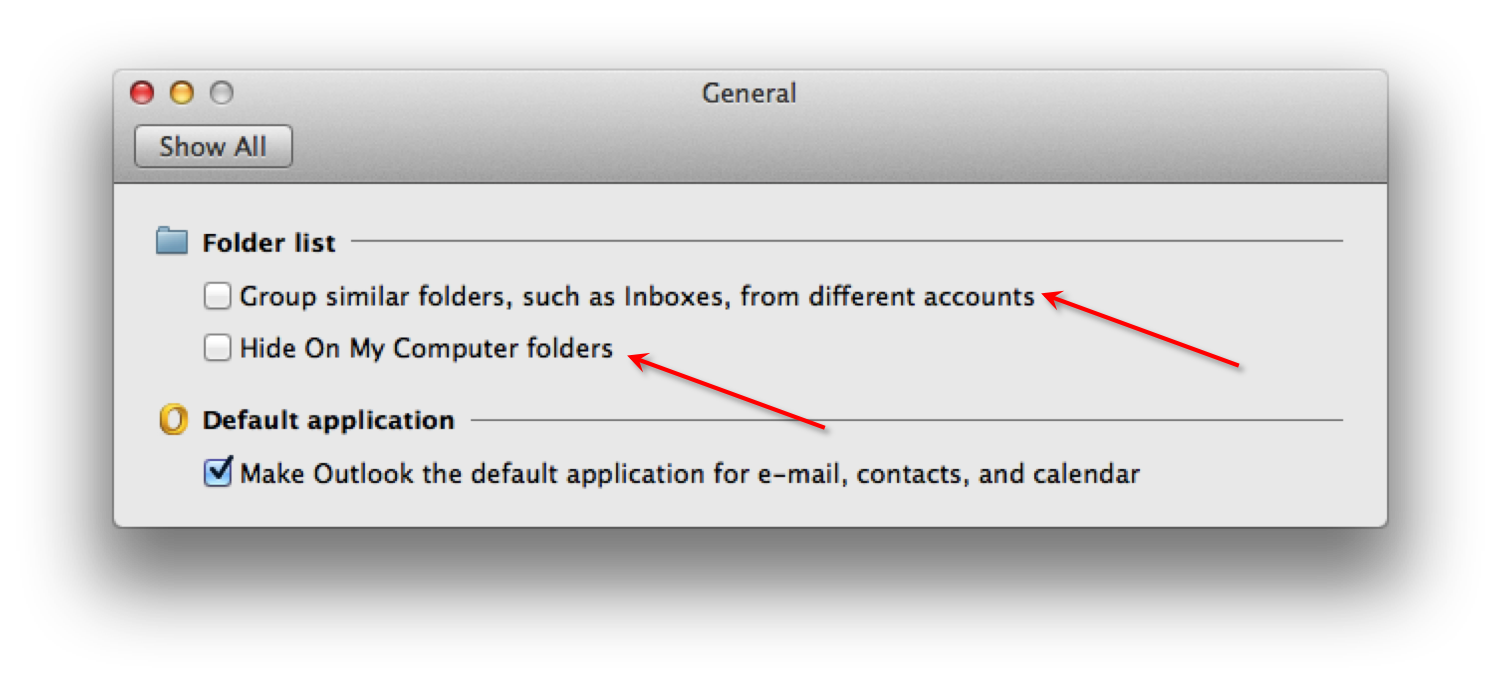
Uncheck the ‘Hide On My Computer folders’ and also uncheck ‘Group similar folders such as inboxes from different accounts’
Comments
Uncheck the ‘Hide On My Computer folders’ and also uncheck ‘Group similar folders such as inboxes from different accounts’
 7thDomain Software
[…] unhidden his ‘On My Computer’ folder in Outlook and checked if they aren’t there? This guide tells you […]